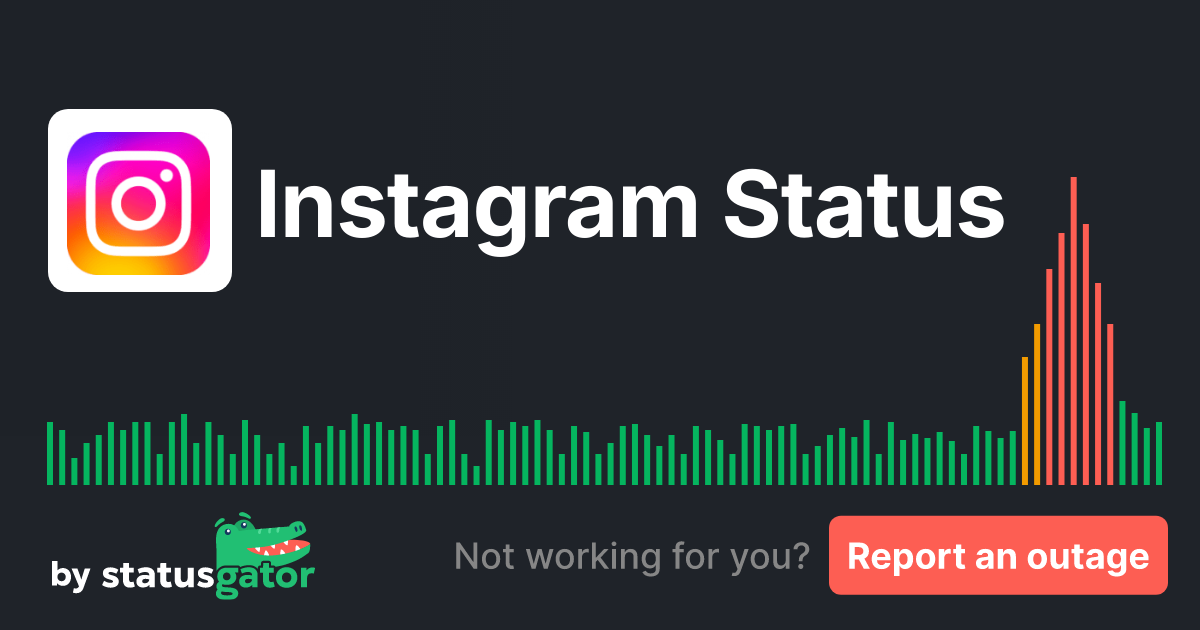
Stay Updated: Instagram Performance Issues, Alerts & Solutions
Frantically refreshing your Instagram feed, only to be met with an endless loading spinner or an error message, is a familiar frustration for millions. As one of the world's most popular social media platforms for sharing photos and videos, Instagram has become integral to our daily lives, from personal connections to business marketing. When it falters, even for a moment, the impact can be significant. Understanding the current
Instagram Status, identifying potential issues, and knowing what to do are crucial for any user. This comprehensive guide will walk you through monitoring Instagram's performance, understanding alerts, and implementing solutions to get you back to scrolling and sharing.
Understanding Instagram Status: Why Your Feed Might Not Load
Instagram is a vast, complex ecosystem of servers, databases, and network infrastructure, all working in concert to deliver content globally. Given its scale, occasional hiccups are almost inevitable. When you encounter problems, it's natural to wonder, "Is Instagram down?" or "Is it just me?"
Several factors can contribute to Instagram performance issues:
- Server Overloads: Sudden spikes in user activity or unforeseen technical glitches can overwhelm Instagram's servers, leading to slow loading times, errors, or temporary outages.
- Routine Maintenance: Like any sophisticated software, Instagram undergoes regular maintenance, updates, and upgrades. While usually performed during off-peak hours, these operations can sometimes cause brief service interruptions or minor bugs.
- Network Issues: Problems with data centers, content delivery networks (CDNs), or even major internet service providers (ISPs) can affect Instagram's accessibility in certain regions or worldwide.
- Application Bugs: Software flaws within the Instagram app itself can manifest as crashes, feature malfunctions, or login difficulties. These might be localized to specific app versions or device operating systems.
- Cybersecurity Incidents: While rare and heavily defended against, security breaches or denial-of-service (DoS) attacks could potentially disrupt service.
Distinguishing between a widespread outage and a localized issue is the first step in troubleshooting. If you're the only one experiencing a problem, the issue likely resides with your device, internet connection, or app installation. However, if many users report similar difficulties, it points to a broader problem with the
Instagram Status. Reliable status monitoring services play a vital role in providing this clarity.
How to Check Instagram Status: Real-time Alerts and Historical Data
When you suspect Instagram might be experiencing problems, the most efficient way to confirm is by consulting a dedicated status monitoring service. Platforms like StatusGator are designed to track the operational health of thousands of services, including Instagram. They aggregate data from various sources to provide a real-time snapshot of the service's availability.
These services typically work by:
- Monitoring Official Channels: Keeping an eye on Instagram's official communication channels (like their corporate Twitter accounts) for announcements regarding outages or maintenance.
- Collecting User Reports: Gathering user-submitted reports of issues. This is a powerful indicator; for instance, even if Instagram is broadly reported as operational, a handful of user submissions (such as the 6 recent outage reports in the past 24 hours) can signal minor, localized, or emerging problems that aren't yet widespread.
- Proactive System Checks: Regularly pinging Instagram's servers and services from various global locations to detect downtime or performance degradation automatically.
The value of such monitoring extends beyond just current status. Services like StatusGator have been monitoring Instagram's performance for over a year, collecting extensive data on outages, performance issues, and maintenance windows. This historical data is incredibly useful for:
- Identifying Trends: Understanding if certain types of issues recur, or if downtime is more frequent during specific periods.
- Planning: Businesses and content creators who rely heavily on Instagram can use this historical context to anticipate potential disruptions and plan their content schedules accordingly.
- Assessing Reliability: Gaining a comprehensive view of Instagram's overall reliability over time.
If you're asking, "Is Instagram down?", these platforms offer the most up-to-date answer. For live status and user outage reports, you can get specific details on
Is Instagram Down? Get Live Status and User Outage Reports. Furthermore, to delve into the platform's reliability over time, exploring the
Instagram Status History: Over a Year of Outage Monitoring provides invaluable insights into past incidents and resolutions. This ensures you're informed whether Instagram is experiencing a problem now or has recently resolved one.
Common Instagram Performance Issues and Quick Fixes
Even when Instagram's overall
Instagram Status is green, you might still encounter individual problems. Here are some common issues and practical troubleshooting steps you can take on your end:
Feed Not Refreshing / Stories Not Loading
This is often the first sign something might be amiss.
- Check Your Internet Connection: Ensure your Wi-Fi is stable, or your mobile data is active and strong. Try switching between Wi-Fi and mobile data to see if one works better.
- Restart the Instagram App: Close the app completely (swipe it away from recent apps) and reopen it. This can clear temporary glitches.
- Clear App Cache: On Android, go to Settings > Apps > Instagram > Storage > Clear Cache. On iOS, you might need to offload the app (Settings > General > iPhone Storage > Instagram > Offload App) and then reinstall it, which preserves your data but clears the app itself.
Direct Messages (DMs) Failing to Send / Receive
If your messages aren't going through or you're not seeing new ones:
- Check Your Network Again: DM functionality is highly dependent on a stable connection.
- Ensure You Haven't Been Blocked: While this won't show as a general outage, if DMs only fail with specific users, it's a possibility.
- Update the App: An outdated app version might have bugs affecting messaging.
Unable to Upload Photos/Videos or Post Stories
A common problem for content creators.
- Check Device Storage: Ensure your phone has enough free space for the app to function and process new media.
- Restart Your Phone: A full device reboot can resolve many underlying software conflicts.
- Check Instagram Permissions: Ensure Instagram has permission to access your camera, microphone, and photos in your phone's settings.
Login Issues
If you can't log in despite correct credentials:
- Verify Credentials: Double-check your username and password for typos.
- Reset Password: If unsure, use the "Forgot Password" option.
- Check for App Updates: Sometimes, login mechanisms are updated, requiring the latest app version.
- Try Logging In on Another Device or Browser: This helps determine if the issue is with your specific device/app or your account itself.
What to Do During an Instagram Outage: Beyond Waiting
If status checkers confirm a widespread Instagram outage, waiting patiently is often the primary course of action. However, there are still steps you can take:
- Confirm the Outage: First and foremost, verify the Instagram Status using a reliable monitoring service. Don't rely solely on anecdotal reports from friends.
- Monitor Official Channels: Keep an eye on Instagram's official Twitter account (e.g., @InstagramComms or @Meta) for updates. Major platforms usually communicate widespread issues there.
- Communicate on Other Platforms: If you use Instagram for business or critical communication, inform your followers or contacts on other social media platforms (like Facebook, X/Twitter) about the disruption. This manages expectations and provides alternative contact methods.
- Report the Issue (If Applicable): If the status service allows user reports, contribute your experience. This helps other users and assists the monitoring service in getting a complete picture. Instagram itself also has in-app reporting features once service is restored, which can help them pinpoint specific issues.
- Avoid Overloading Your Device/Network: Repeatedly trying to open the app or refresh your feed won't bring it back faster and can unnecessarily consume your data or battery.
- Focus on Other Tasks: Use the downtime as an opportunity to disconnect, work on other projects, or engage with other platforms.
Remember that large-scale outages are typically resolved relatively quickly, given the resources and expertise of Instagram's engineering teams. Their priority is to restore service as soon as possible.
Conclusion
In an age where social media platforms like Instagram are woven into the fabric of our daily routines, understanding their operational status is more important than ever. While Instagram strives for 100% uptime, performance issues and outages are an occasional reality. By leveraging reliable status monitoring services, knowing how to interpret alerts, and understanding common troubleshooting steps, you empower yourself to navigate these disruptions effectively. Whether you're a casual user or a business relying on the platform, staying informed about the
Instagram Status means less frustration and more productive time, even when the feed isn't loading.